本篇文章仅为作者本人日常装机的必做选项,可能会有遗漏,欢迎大佬前来补充。
一、修改SElinux
进入/etc/selinux,修改config里面的SELINUX为disabled
nano /etc/selinux/config否则下面改了端口后无法连接机器!!
二、修改/etc/ssh/sshd_config
每个机器默认的sshd文件行数所对应的内容可能不太一样,请大家自行寻找对应内容进行更改
1、在第23行左右的空白处加入
Protocol 2
2、17行左右的ssh端口进行更改,最好10000以上
如port 24561
注意更改完之后一定记得添加防火墙,否则重启后无法连接
添加防火墙端口命令
#24561处修改为你自己改的端口号
firewall-cmd --zone=public --add-port=24561/tcp --permanent

#重启防火墙
firewall-cmd --reload3、去掉#LogLevel INFO前面的#号
4、去掉#PermitRootLogin yes前面的#号
5、修改MaxAuthTries后面为4
如MaxAuthTries 4
6、将以下内容进行替换,开启仅证书登录
#RSAAuthentication yes
#PubkeyAuthentication yes

# The default is to check both .ssh/authorized_keys and .ssh/authorized_keys2
# but this is overridden so installations will only check .ssh/authorized_keys
AuthorizedKeysFile    .ssh/authorized_keys
替换为
RSAAuthentication yes
PubkeyAuthentication yes
AuthorizedKeysFile    .ssh/authorized_keys
7、将以下内容进行替换,关闭密码登录
#PasswordAuthentication yes
#PermitEmptyPasswords no
PasswordAuthentication yes
替换为
PermitEmptyPasswords no
PasswordAuthentication no
8、最后替换以下内容,设定登陆尝试次数
#ClientAliveInterval 0
#ClientAliveCountMax 3替换为(注意去掉#号)
ClientAliveInterval 600
ClientAliveCountMax 2
三、修改/etc/profile
在profile里文件最下方空白处添加以下内容
export PS1='[\u@\h \w]# '
history
USER_IP=`who -u am i 2>/dev/null| awk '{print $NF}'|sed -e 's/[()]//g'`
if [ "$USER_IP" = "" ]
then
USER_IP=`hostname`
fi
if [ ! -d /opt/history ]
then
mkdir /opt/history
chmod 777 /opt/history
fi
if [ ! -d /opt/history/${LOGNAME} ]
then
mkdir /opt/history/${LOGNAME}
chmod 300 /opt/history/${LOGNAME}
fi
export HISTSIZE=4096
DT=`date +"%Y%m%d_%H%M%S"`
export HISTFILE="/opt/history/${LOGNAME}/${USER_IP} history.$DT"
chmod 600 /opt/history/${LOGNAME}/*history* 2>/dev/null
改后样图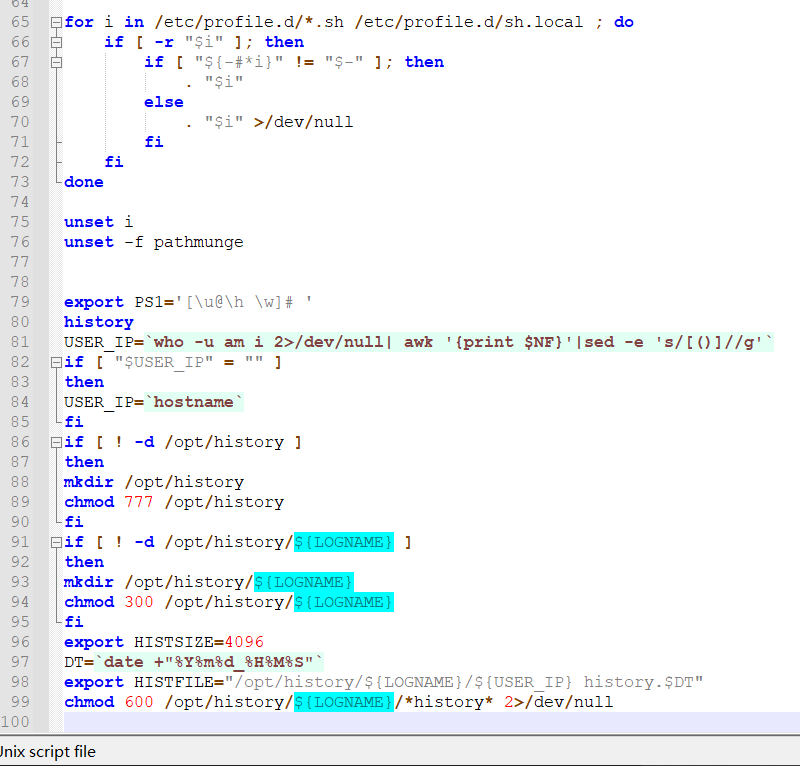
一定注意最后留出空一行!!
四、修改/etc/sysctl.conf
在该文件内的最下方加入以下代码
net.ipv6.conf.all.disable_ipv6 =1
net.ipv6.conf.default.disable_ipv6 =1
net.ipv4.icmp_echo_ignore_all=1net.ipv4.icmp_echo_ignore_all=1为关闭icmp,让自己的ip无法被ping通net.ipv6.conf.all.disable_ipv6 =1net.ipv6.conf.default.disable_ipv6 =1这两行为关闭系统ipv6,如果你需要使用ipv6,这两行不要加进去!同样最后一行一定要留空一行!!!!否则不生效!!!
样图如下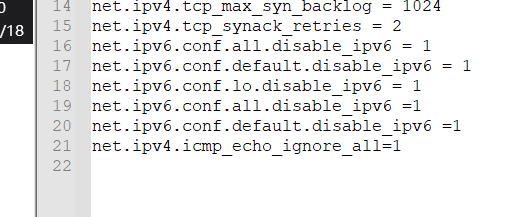
若有补充欢迎大佬提出!!以上